Pages

Labels

Showing posts with label Android pro apps. Show all posts

Thursday, 27 June 2013

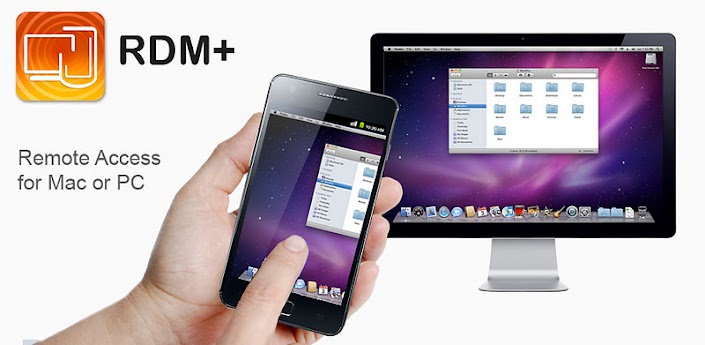
Access Your Desktop From Android (RDM+ Remote Desktop )

RDM+ Remote Desktop

Description

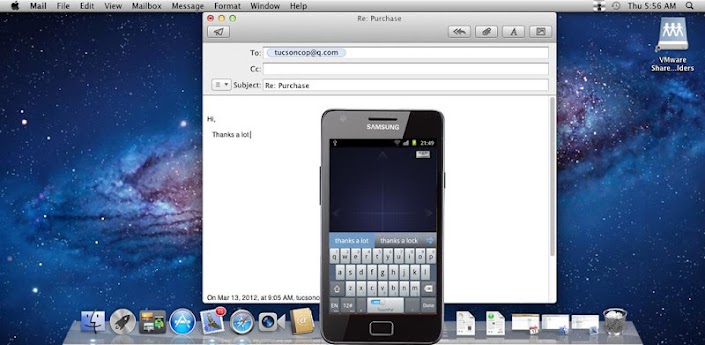
Access and control your Mac or Windows PC remotely right from your mobile device with RDM+ Remote Desktop app.
Don't be tied to your home or office computer. Send and receive e-mails, edit documents, surf the web, manage files and do hundred other things that you usually do on your desktop, even when you are on a business trip or stuck in a traffic jam.
Simply install mobile application on your Android and RDM+ Desktop on the remote computer and RDM+ is ready to use. No need to adjust any firewall or router settings."In a short time, your desktop's screen will be displayed on your Android phone and you can pretty much do whatever it is that you want to do."
ANDROID-APPS.COM
Why RDM+ is really a must-have tool for you?
- Sometimes you need to check or edit your documents, and your computer is nowhere near you. Do it easily using familiar mouse commands, standard Windows and Mac hotkeys. Pinch to zoom in/zoom out.
- Copy, rename, delete files, send them from PC to your Android and vice versa with built-in file manager.
- System Manager: see how your desktop is doing while you are away from home. Check and change system settings, execute command line commands, control running processes.
- Works via both WiFi and carrier data network.
- Ultimate security level makes your data exchange absolutely safe. Master password protects list of your computers, so even if your device is stolen or lost, noone could access your information.
- Easy access for enterprise users through NAT and Firewall as well as for individual users with dynamic IPs.
- No hidden costs. Application price is a one-time fee. Connect to any number of your desktop computers without any additional charges.
- Available in English, Spanish, German, French and Italian.
Note: Free RDM+ Desktop application should be installed on each computer you want to have access to.

  Downloading Links
                    ||Download Via Single Links  Size:973KB||
                                ||
GOOGLE PLAY(PRO)||EXTERNAL LINK||EXTERNAL LINK||

Friday, 17 May 2013

AirDroid

AirDroidDescription
Your Android, on the Web
AirDroid is a free and fast app that helps you manage your Android from a desk web browser, all over the air.
AirDroid philosophy:
※ One less cable.
Move things on and off your Android device without a USB cable. Even when the device is not nearby.
※ One less screen.
Send and receive SMS from your big-screen computer, without being distracted by the small-screen thing.
※ One less worry.
Locate and lock your Android when it’s lost. Cannot get it back? Simply wipe all data remotely.
Media coverage:
※ “This app allows you to take complete control of your Android device via your computer's Web browser.” - PCWorld
※ “I'm sending text SMS messages from my Android phone via my browser. I can't stress how great that is.” - Gizmodo
※ “It's a remarkably comprehensive app, operates securely, and is a free download.” - Lifehacker
※ “It's all the little things, the things that make AirDroid a joy to use, which make it the app of the year.” - Android Police
Key features:
※ Desktop SMS
Send & receive SMS from the comfort of your computer. Faster typing and navigation with the full keyboard and large screen.
※ Files and Media
Move photos, videos, ringtones and any other files on and off Android, all without a USB cable.
※ Find Phone
Locate and lock your Android when it’s lost. Cannot get it back? Simply wipe all data remotely.
※ Manage Apps
Easier way of app search, installation and apk export.
※ Camera and Screenshot
See through the lens of your Android camera, front and back. Or stream the screen of your Android in nearly real-time.
※ Phone Calls, Clipboard , Url transfer and more
Call contact, share clipboard content, push url to Android and more features awaiting your discovery.
                                      Downloading Links
                                     ||Download Via Single Links  Size:3.2MB||
                                      ||
GOOGLE PLAY(FREE)||EXTERNAL LINK||

Thursday, 16 May 2013

GO LOCKER(FREE)

Description
The lastest version has been mistaken for malware by 'Avast! Mobile Security'.
The lastest virus database version of 'Avast! Mobile Security' has fix this problem.
Users can enjoy GO Locker as usual without unsafe factors.Thanks!
GO Dev Team
Notice! Here comes the version of GO Locker.
====Features:
1. Cool Locker Screen that makes your phone outstanding;
2. Good compatibility with GO Launcher EX and it is stable;
3. Easy to use;
4. Able to activate phone, SMS and Camera directly or you can change the slider shortcuts yourself;
5. Various of Locker Themes to match your style;
6. Support customise wallpaper;
7. Security locker;
8. Emergency unlock enabled;
             Downloading Links
                                          ||Download Via Single Links  Size:3.2MB||
                           ||
GOOGLE PLAY(FREE) || EXTERNAL MIRROR ||

WidgetLocker Lockscreen

WidgetLocker LockscreenDescription
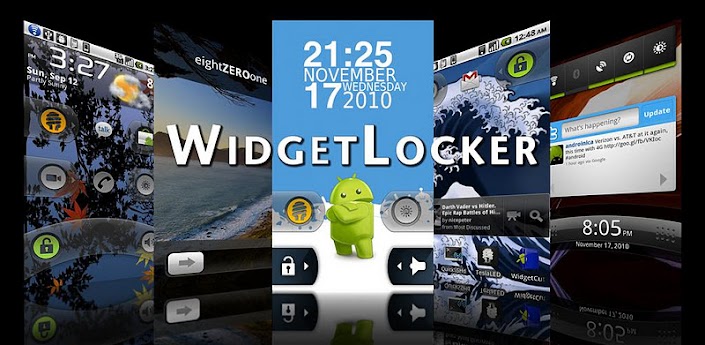
WidgetLocker is a lock screen replacement that puts you in control of the look, feel and layout of your lock screen.
- Drag and Drop placement of Sliders, Android Widgets and App Shortcuts
- Sliders look selectable from built-in styles (Ice Cream Sandwich, Gingerbread, Sense and Sense 3, Motorola, iPhone, and Rotary) or from user-themes.
- Slider Actions can be customized, for example Slide-to-launch-Camera or Slide-to-call-your-Girlfriend.
- Resizable widgets and custom grid size
- Notification badges on apps/sliders via TeslaUnread ( https://play.google.com/store/apps/details?id=com.teslacoilsw.notifier )
- Customize which widgets/buttons are allowed or blocked at the lock screen
-Portions of WidgetLocker are based on the excellent ADW.Launcher ( http://t.co/YvVMkGc ) by Ander Webb and friends.
                                     Downloading Links
                                          ||Download Via Single Links  Size:3.2MB||
                                                    GOOGLE PLAY || 2SHARED

Tuesday, 7 May 2013

Truecaller : Free Caller ID

Truecaller : Free Caller ID
Description
Truecaller is the world's largest collaborative phone directory that makes it easy to get in touch with people across the globe.
Truecaller also shows you who the caller is instantly, blocks unwanted calls and so much more.
+18 million users can´t be wrong, jump on the bandwagon!
Truecaller enables you to search +950 million phone numbers worldwide, keeps your phone book beautiful and up-to-date by adding your friend’s latest Facebook and LinkedIn-pictures and birthdays and protects you from spam calls.
New countries and numbers are added continuously to Truecaller at no extra cost and we will not stop adding.
Features:
• Lookup mobile and landline numbers from all over the world.
• Caller ID - See who the unknown caller is before answering (Requires 3G or Wifi).
• Call Blocker - Block calls from your personal blacklist and block common spam callers thanks to the community blacklist.
• Social connected - Connect to your Facebook or LinkedIn account to get your friends latest social status information immediately when they call you.
• Update Phonebook - Keep your phonebook up-to-date with your friends latest address info, pictures and much more.
• Call log - see all incoming and outgoing calls plus searches made in one single view.                                    
                                      Downloading Links
                                          ||Download Via Single Resumable Links Size:3.6 MB|                                   Google Play Store(Need Android Mobile With You To Install)

Hide It Pro(Android App)

Hide It Pro
Description
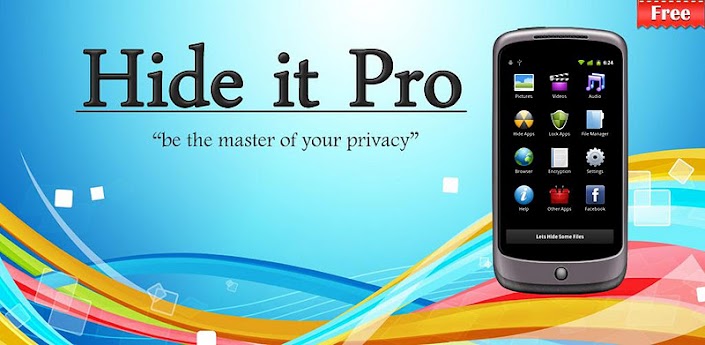
Hide Pictures ,Videos, Applications, Messages , Calls in your phone. COMPLETELY FREE and UNLIMITED version.
The app is cleverly disguised as "Audio Manager" in the App Drawer.Disguises itself as a Audio Manager app which can be used to turn the volumes up and down. but if you Long press on the Audio Manager title the actual Hide It Pro app will launch, which is basically your secret vault of pics/videos/messages/apps etc.
1.) App disguised behind a fully functional Audio Manager
2.) Categorize media into folders of your choice
3.) Batch(Multi-Select) support for hiding and unhiding pictures
4.) Delete/Share/Unhide/Move pictures between albums
5.) Sort files by date/size/name and sort folders by count/name
6.) Gallery features Pinch to Zoom , Double tap to zoom , One finger hold and move zoom
7.) Slideshow with Fade, Zoom, Swipe effects
8.) Send/Share pictures
9.) Special optimization for low end phones.
10.) Video player features play/pause/forward/rewind/next video/prev video support
11.) Disappears from recent apps list
12.) Two lock screen options viz Pin and Password
13.) Escape pin/password for times when you get caught
14.) Built in encryption tool(with military standard 256-bit AES encryption) to secure your most important files
15.) Plugins for features like Private Messaging / Calls , Private Browsing , Locking Apps.etc.
There are a lot more features like custom slideshow durations/slideshow order/effects , custom folder thumbnails etc.

                                                 Downloading Links

||Download Via Single Resumable Links Size:885 kB|


WhatsApp Messenger(Android app)

WhatsApp Messenger
Description
WhatsApp Messenger is a smartphone messenger available for Android and other smartphones. WhatsApp uses your 3G or WiFi (when available) to message with friends and family. Switch from SMS to WhatsApp to send and receive messages, pictures, audio notes, and video messages. First year FREE! ($0.99 USD/year after)WHY USE WHATSAPP:★ NO HIDDEN COST  WhatsApp uses your Internet connection: 3G/EDGE or Wi-Fi when available.★ MULTIMEDIA: Send Video, Images, and Voice notes to your friends and contacts.★ GROUP CHAT: Enjoy group conversations with your contacts.★ NO INTERNATIONAL CHARGES★ SAY NO TO PINS AND USERNAMES★ NO NEED TO LOG IN/OUT★ NO NEED TO ADD BUDDIES★ OFFLINE MESSAGES: Even if you miss your push notifications or turn off your phone, WhatsApp will save your messages offline until you retrieve them during the next application use.★ AND MUCH MORE

                                        Downloading Links
                       ||Download Via Single Resumable Links Size: 2.9.5196|                                                Mediafire Link | Uploadorb Link

WiFi Mouse Pro v2.2(Android app)


WiFi Mouse


Description
Transform your phone into a wireless mouse, keyboard and trackpad using WiFi Mouse. WiFi Mouse supports speech-to-text as well as multi-finger trackpad gestures. WiFi Mouse enables you to control your PC, MAC or HTPC effortlessly through a local network connection.

If you don't have AP(WiFi hotspot), you can use android phone/PC as hotspot.
Features:
* Mouse curser movement
* left and right click support
* Middle mouse button scroll
* Remote keyboard input
* PC/Mac hot keys and combination key(pro)
* Speech-to-text input for all languages
* Mouse & keyboard full screen
* Auto-connect on application startup
* Media player controller(pro)
* Explorer controller(pro)
* Compatible with XP/Windows Vista/Windows 7/Windows 8/Mac OSX/Linux (Ubuntu)
Gestures:
* Tap-to-click
* Tap and move for drag
* Two finger tap for right click
* Two finger scroll
* Pinch to zoom(pro)
* Three finger drag & drop or highlight(pro)
* Four finger swipe down to show desktop(pro)
* Four finger swipe up to maximise current window(pro)
* Four finger swipe sideways to change current window focus(pro)
* Left handed mouse support (swap left and right mouse click)(pro)


Downloading Links
||Download Via Single Resumable Links Size: 3MB||

Powered by Blogger.

Translate into your language


Blogger news

Blogroll

Blogger Widgets

About